
By Chunxx Treasures
Shopping for used PlayStations in Albuquerque? Start with the games you actually want to play. An original PlayStation, a compact PS one and a PlayStation 2 can all belong in a retro setup, but they are different purchases. A clean shell looks good on a shelf; a useful setup also needs the right controller, working connections and a way to save your game.
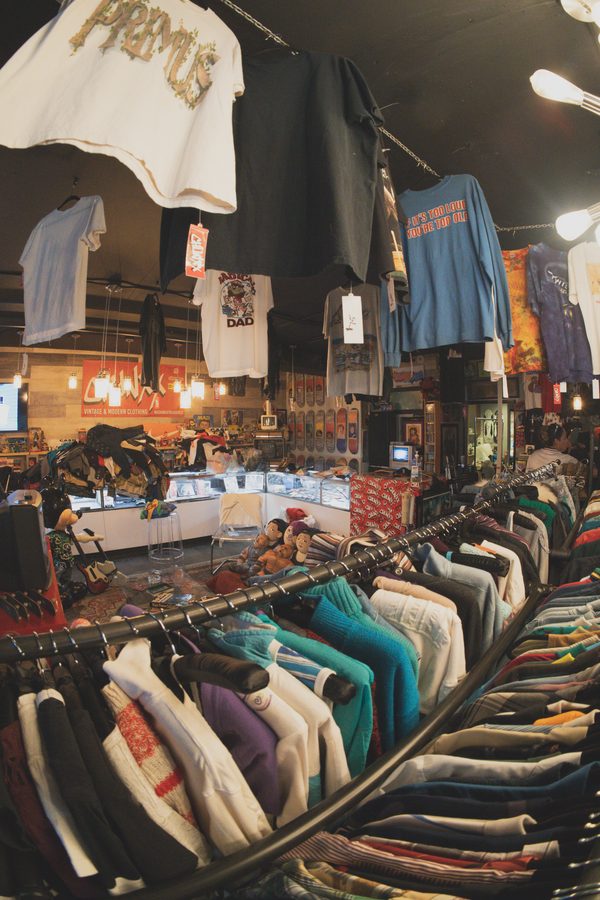
Chunxx Treasures is at 220 Copper Ave NW in downtown Albuquerque. If you are hunting for older consoles alongside vintage clothes and other finds, ask the shop what is available before making a trip for a particular model. Here is a checklist to take with you wherever you shop.
Pick your games before choosing a console
Write down three or four titles you want to revisit. Then check the platform and region printed on each game's packaging. A seller calling something a used PlayStation does not tell you whether it is a PS1, PS2 or a newer console. Ask for the model number from the console's label and a clear photo of the unit itself.
If a PS2 appeals because you also want to play original PlayStation games, verify your particular titles and accessories rather than assuming every combination works. Imports, specialist controllers and individual games deserve a closer check. Buying a console for one favorite game only makes sense if that exact setup does what you need.
Compare the whole bundle, not just the console price
A bare console and a ready-to-play bundle are not equivalent. Before deciding which listing is cheaper, make a list of everything included. Ask whether the power supply or cord is correct for that model, whether the video lead reaches your television and whether a working controller comes with it.
- Console: exact model, visible condition and what has been tested.
- Power: the matching supply or lead, with no exposed or damaged wiring.
- Video and sound: the actual cable and a compatible input on your display.
- Controller: responsive buttons, sticks and a sound cable connection.
- Memory card: the appropriate type for the games you plan to play.
- Games: the exact discs, cases and manuals included, if any.
Write the missing pieces next to the asking price. A bundle with a second controller is only useful for your plans if that controller works and your chosen games support the way you want to play. Packaging can matter to a collector; someone planning a weekly game night may care more about the condition of the hardware.
Ask to see a game running
A power light is a starting point, not a full demonstration. If testing is available, watch the console boot a known-working game and reach actual gameplay. Listen to the game audio and try the controller. Ask what was checked if you cannot test it yourself. A short video can help when the console is not already connected.
Look over the disc for obvious damage and ask whether it has been tested in that console. Check the tray or lid operation and the cable ports without forcing anything. If the seller describes a fault, make sure you understand it before buying. A repair project and a machine you expect to use tonight call for different budgets.
Make sure you can save your progress
Memory cards are easy to forget until the first long session. Sony's PS2 user guide distinguishes the card types: PlayStation games use a PlayStation memory card for gameplay saves, while PS2 games use a PS2 memory card. A PS2 card is not a direct substitute for saving a PS1 game.
Ask to see the card recognized and, where practical, a test save and load. Do not delete somebody else's data without permission. If you are bringing your own card or controller, mention it first so the seller knows what you want to check. Keep any original saves you care about separate from a buying demonstration.
Plan the screen and cable together
Before shopping, take a photo of the inputs on your television. Then compare those connections with the console's output cable. If your display only accepts HDMI, investigate the exact converter or scaler required for your console and signal. A cable that physically fits one end does not establish that the full connection will work.
Putting together a period-style setup? Our Albuquerque CRT TV buying guide covers input checks, screen condition and measuring the space. You do not have to choose a tube TV to enjoy older games, but it helps to decide on the screen before spending on adapters or moving a heavy set home.
Ask about condition, repairs and purchase terms
Used, tested and refurbished describe different things. Ask what work was done, who did it and which functions were checked. Do not infer a repair history from a clean case or a fresh sticker. If a return or exchange policy matters to your purchase, get the actual terms from the seller before paying.
For an in-person pickup, confirm the total price and included accessories while the bundle is in front of you. Take a photo of the model label for your own reference. That makes finding the right instructions and replacement accessories easier later, especially when several similar-looking revisions share a name.
Ask Chunxx about current gaming finds
Send us the generation you want, the titles you hope to play and whether you already have a television and controller. A message saying PS1 with cables gives us more to work with than a general question about a PlayStation. Current models, prices and included accessories need to be confirmed with the shop.
Call (505) 205-4503, use the contact form or check @chunxxtreasures for current hours and finds. If your setup is also part of the room, our vintage decor guide has ideas for making a small display feel collected rather than crowded.
Questions before you visit
Does Chunxx have used PlayStations in stock today?
Contact Chunxx for current console availability, prices and included accessories. This guide is not a live stock list.
What should come with a used PS1 or PS2?
Confirm the exact console, matching power connection, video cable, working controller and the memory-card type you need. Ask which pieces the seller includes.
Can I save a PS1 game directly to a PS2 memory card?
No. For gameplay saves, original PlayStation games need a PlayStation memory card. Use the appropriate card for each game format.
Ask about current finds · Get directions to Chunxx · All blog entries