
By Chunxx Treasures
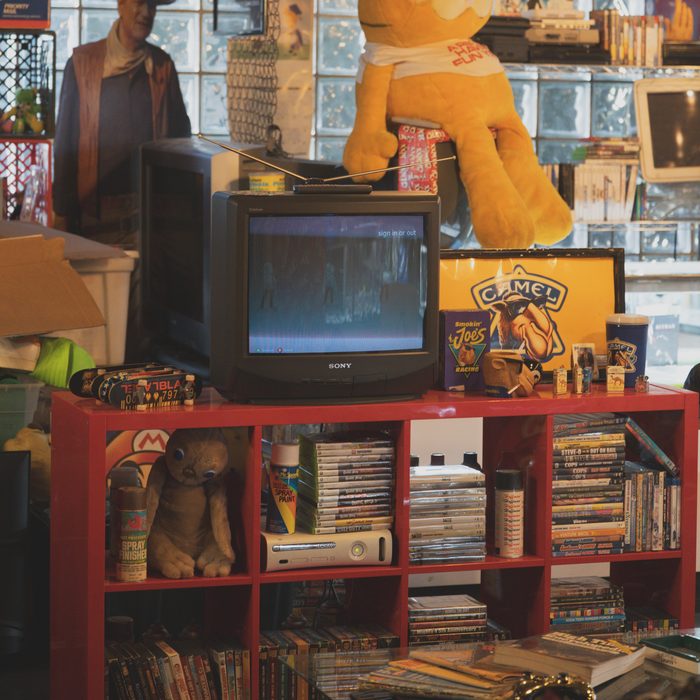
Looking for CRT TVs for sale in Albuquerque? Before you chase a particular brand or screen size, decide what the set needs to do. A television for an old PlayStation, a VHS corner and an unplugged room display each calls for a different conversation with the seller. The best starting point is the actual model and its condition.
At Chunxx Treasures, 220 Copper Ave NW in downtown Albuquerque, old-school screens are part of the shop's surroundings. Contact us about current TVs and availability; a photograph is not a live inventory list. Use the checklist below when looking at a set here or anywhere else around town.
Bring the name of the device you want to connect
Tell the seller whether the TV is for a PS1, PS2, VCR or another device, and bring a photo of the cable you intend to use. Two CRT televisions that look alike from the front can offer different connections at the back. A listing that only says tube TV leaves the most useful compatibility question unanswered.
Look for the input labels and compare them with the device's instructions. Composite video commonly uses a yellow video connection alongside audio connections; other sets may offer different arrangements. Do not assume that a round connector or a matching color alone proves compatibility. Ask for clear photos of both the rear panel and the model label.
Read the exact model number before chasing a brand
Sony Trinitron is a familiar search term, but a brand name does not establish a particular set's inputs, condition or suitability for your games. Check the full model number, not just the logo. Sony provides a model-specific manual page for the KV-27FS100; use the instructions for the set you are actually considering.
If a seller says a television is good for retro gaming, ask what device was used to test it. A working demonstration with your intended kind of connection is more useful than a description based only on the television's age. For a console purchase too, see our used PlayStation buying guide before putting the bundle together.
Look at the picture while something is playing
Where testing is possible, ask to see a familiar game, menu or video through the input you plan to use. Check whether the image is stable and readable and whether the sound works. Look across the whole picture instead of focusing only on the center. A colorful title screen and a page of small text can reveal different things.
Notice persistent discoloration, an uneven image, obvious marks or controls that do not respond. These observations are questions for the seller, not a remote diagnosis. If a defect matters to you, ask for clarification before paying. A seller calling a set working may not mean that every input and control has been checked.
Check how you will select the input
Ask whether the remote is included and whether its important functions work. Also check the buttons on the television itself. If you need to change inputs or adjust the sound, make sure you understand how to do that on this exact set rather than assuming every TV has the same menus.
A missing remote may affect how convenient the set is for your use. Before planning to buy a replacement, confirm compatibility with the model and the functions you need. An inexpensive-looking TV is less appealing if you cannot access the connection you bought it for. Include the remote and any required accessories in your total budget.
Measure the cabinet, shelf and route into the room
A screen-size number is not the television's full footprint. Ask for the cabinet's width, height and depth, plus its documented weight where available. Compare those figures with the space you have and the load rating of the surface you intend to use. Leave the clearance the manufacturer requires around the set.
Think through the trip before arranging pickup: vehicle opening, stairs, doorways and the final placement. Tell the seller if access is awkward and arrange appropriate help for the actual item. A larger screen is not automatically a better buy when the cabinet cannot fit the room or the furniture is unsuitable.
Separate a working television from a display piece
If you only want an unplugged TV as vintage room decor, say so when shopping. You may be judging the cabinet and appearance differently from a buyer who needs dependable video and sound. Make sure the seller's description is clear about which functions were tested and which condition issues remain.
For any set you plan to operate, follow the manufacturer's instructions. Keep your inspection external; do not open the cabinet to investigate a picture problem. Ask a qualified service professional about faults. Cosmetic appeal does not establish electrical condition, and an interesting project should not be mistaken for a tested television.
Compare the complete cost of the setup
Before agreeing on a price, list the TV, remote, cables and any connection equipment you need. Add pickup arrangements to the plan. A listing with fewer accessories may still suit you if you already own the missing pieces; another buyer may prefer a more complete setup. Compare what is actually included.
Ask about purchase terms before leaving with the TV. If returns, exchanges or a test at pickup matter, confirm those details directly. We are not publishing a citywide price guide because condition, model, accessories and availability vary. A written note of what was demonstrated is more useful than relying on a general claim about what a CRT should cost.
Check with Chunxx before your downtown stop
Send the screen size you are looking for, the device you want to connect and any space limits. If a specific TV appears in a photo, ask about that item rather than assuming it is still available. We can respond to a particular request more easily when we know whether you need a gaming screen, a VHS setup or a visual centerpiece.
Call (505) 205-4503 or message Chunxx for current stock and hours. The shop is at 220 Copper Ave NW. Browse the other local guides while you plan your visit, and bring the measurements and connection photos that will help you choose a set you can actually use.
Questions before you visit
Are the CRT TVs shown in Chunxx photos available today?
Ask the shop about the specific TV before visiting. Photos show the store and are not a live inventory or reservation system.
What should I check before buying a CRT TV for gaming?
Confirm the exact model, compatible inputs, picture and sound, remote or input controls, cabinet dimensions and pickup arrangements.
Do I need the biggest CRT TV I can find?
Choose a set that fits your space, supports the connection you need and can be moved and placed appropriately. Check the full cabinet dimensions, not just the screen size.
Ask about current finds · Get directions to Chunxx · All blog entries